
Bosch cooktop F5 pan on controls
A hot pan is covering the keys. Move it and F5 clears.
- Cooktop
- Move the pan
- No parts
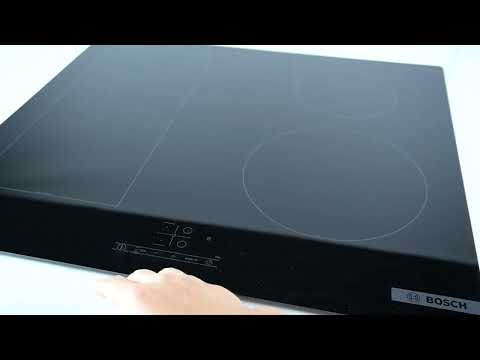
Bosch cooktop F5 means hot cookware is sitting on the control panel. The cooktop shuts down so the keys are not damaged by a hot pan. Move the pan off the controls onto a cooking zone or a trivet. F5 should clear once the panel is uncovered. This message does not call for a new control board.
Reviewed August 2025 · sources below
Safe to keep using?
No safety issue
This is a status or lock code, not a hardware fault.
How to fix F5
- Lift the hot pan off the touch controls.
- Set the pan on a cooking zone or a heat-safe surface, not on the keys.
- Wipe spills off the glass so a key is not stuck down.
- F5 should clear after the pan is off the panel.
- If F5 stays with nothing on the keys, let the panel cool and try again.
Call a pro when: Call a technician if F5 remains after the panel is cool, dry, and clear of cookware.
Next step
Still having trouble after the code fix?
This code is usually a status or maintenance notice, not proof of a failed part. Try the steps above first; then describe what still isn't working.
Free guided checks · No account required · Don’t open live electrical, gas, or refrigerant equipment
What F5 means
Hot cookware is sitting on the control panel — move the pan off the keys.
Likely causes
Hot cookware is sitting on the control panel — move the pan off the keys.
Check: Move the pan off the control panel.
Est. cost: $0–$0
A hot pan left on the keys or prolonged high heat can trip protection until the glass cools.
Check: Move cookware off the controls, let the cooktop cool 10–15 minutes, then touch any key to resume.
Est. cost: $0–$0
Guided repair checklist
Complete the safe checks one at a time. Progress is saved for this browser so you can continue later.
0 of 5 checks recorded
Recommended next action
Start with this check before considering replacement parts.
Check 1 of 5
Lift the hot pan off the touch controls.
Did the repair resolve the issue?
Restoring repair progress…
Questions about F5
What does F5 mean on a Bosch cooktop?
F5 means hot cookware is on the control panel. Move the pan off the keys.
How do I clear Bosch F5?
Move the pan off the controls. F5 clears when the keys are uncovered.
Do I need a part for Bosch F5?
No. F5 is a pan-on-the-controls warning.
Bosch F5 on specific models
Other Bosch Cooktop codes
Prevent this problem next time
- Keep hot pans off the touch controls
Sources
Manufacturer meaning
Hot cookware is sitting on the control panel — move the pan off the keys.
FixApplianceCode guidance
Move the pan off the Bosch cooktop controls. No replacement part is needed.
Source type: Editorial
Source: FixApplianceCode status-code guidance
Last reviewed: 2026-10-24
Repair guidance is for informational purposes only. We do not guarantee that any fix will resolve your issue, and you assume all risk when following these steps. Terms & disclaimer
As an Amazon Associate I earn from qualifying purchases. Some links may also earn other retailer commissions, at no additional cost to you. Affiliate disclosure