
What LOC means on an LG microwave
Not broken. Hold Clear/Stop for 3 seconds.
- Microwave
- Not a breakdown
- No parts
- 3 seconds
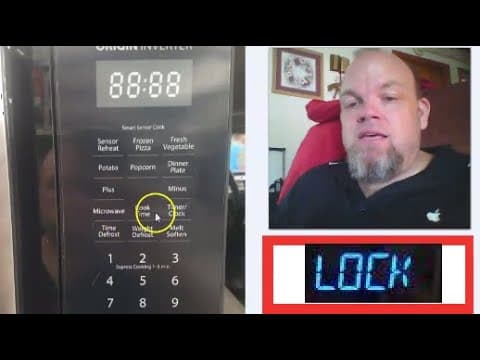
LG microwave LOC (or Loc) means Control Lock is enabled — the keypad is disabled so buttons cannot be pressed accidentally. This is not a failure code. On LMV2031 and similar over-the-range models, hold the Clear or Stop pad for three seconds until LOC disappears from the display.
Reviewed August 2025 · sources below
Safe to keep using?
No safety issue
This is a status or lock code, not a hardware fault.
How to fix LOC
- Look for LOC or a lock icon on the display — if present, the lock is active.
- Press and hold Clear/Stop (or the pad labeled Lock) for 3 seconds until LOC clears.
- If LOC will not clear, unplug the microwave for 5 minutes and retry the hold sequence.
- Check whether a child-lock setting was enabled in the options menu — some models hide lock under Settings.
- If every pad is dead with no LOC showing, the membrane keypad may have failed — that is a different fault from LOC.
Call a pro when: Call a technician if the keypad stays dead after LOC clears or you smell burning from the control area.
Next step
Still having trouble after the code fix?
This code is usually a status or maintenance notice, not proof of a failed part. Try the steps above first; then describe what still isn't working.
Free guided checks · No account required · Don’t open live electrical, gas, or refrigerant equipment
What LOC means
Child lock is enabled — the control pad is locked.
Likely causes
Child lock is enabled — the control pad is locked.
Check: Hold Child Lock or Control Lock for about 3 seconds until the code clears.
Est. cost: $0–$0
Moisture or a stuck membrane key can mimic a lock even after you clear the display.
Check: Dry the panel, press each key once, then power-cycle the appliance for 5 minutes.
Est. cost: $0–$0
Guided repair checklist
Complete the safe checks one at a time. Progress is saved for this browser so you can continue later.
0 of 5 checks recorded
Recommended next action
Start with this check before considering replacement parts.
Check 1 of 5
Look for LOC or a lock icon on the display — if present, the lock is active.
Did the repair resolve the issue?
Restoring repair progress…
![[LG Countertop Microwaves] How to Disable the Safety Lock](/_next/image?url=https%3A%2F%2Fi.ytimg.com%2Fvi%2FFJTBCyp4APE%2Fhqdefault.jpg&w=3840&q=75)
![[LG Microwaves] Enabling & Disabling Child Lock](/_next/image?url=https%3A%2F%2Fi.ytimg.com%2Fvi%2F6jsjKL-a_e4%2Fhqdefault.jpg&w=3840&q=75)
Questions about LOC
What does LOC mean on LG microwave?
LOC is Control Lock — a user setting that disables the keypad.
What does LOC mean on a microwave?
On an LG microwave, LOC means the control lock is on. Hold Clear/Stop for about 3 seconds to unlock it.
Why is my LG microwave locked?
LOC means the control lock is on, not a failed door. Hold Clear/Stop for about 3 seconds until the lock icon disappears.
How do I unlock an LG microwave that is locked?
Hold Clear or Stop for about 3 seconds until LOC leaves the display. That is the unlock, not a repair.
Where is the LG microwave lock button?
Most LG microwaves use Clear/Stop as the lock button. Hold it for 3 seconds. Some models label a separate Lock pad.
How do I turn off LG microwave LOC?
Hold Clear/Stop for about 3 seconds until the lock icon disappears.
Do I need a part for LOC?
No — LOC is cleared from the keypad, not by replacing parts.
Why did LOC turn on by itself?
It is usually pressed accidentally during cleaning or by a child leaning on the pad.
LG LOC on specific models
Other LG Microwave codes
Prevent this problem next time
- Use lock features only when needed
- Avoid cutting power mid-cycle
Sources
Manufacturer meaning
Child lock is enabled — the control pad is locked.
FixApplianceCode guidance
Turn child lock off on the LG microwave. No replacement part is needed.
Source type: Editorial
Source: FixApplianceCode status-code guidance
Last reviewed: 2026-10-23
Repair guidance is for informational purposes only. We do not guarantee that any fix will resolve your issue, and you assume all risk when following these steps. Terms & disclaimer
As an Amazon Associate I earn from qualifying purchases. Some links may also earn other retailer commissions, at no additional cost to you. Affiliate disclosure