
DV45R6100CW HE error
Your Samsung DV45R6100CW is showing HE. Before replacing parts, confirm the model tag matches DV45R6100CW: Inside the door opening on the frame, or on the rear panel. On this Samsung dryer, HE means Heating error — dryer not heating properly. The steps below follow the field-service order for the DV45R6100CW platform — not the generic Samsung HE page. Parts listed below are confirmed compatible with DV45R6100CW. If the code cleared after a reset but returned mid-cycle, treat that as a confirmed fault rather than a one-time glitch.
Buy the replacement part
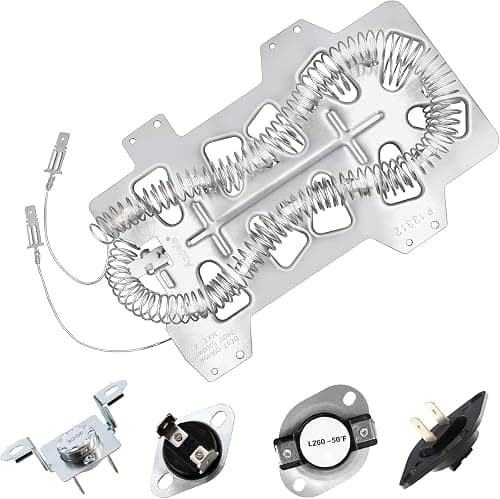
MPN: DC47-00018A
$44.99
Fix steps
- Verify the model tag reads DV45R6100CW — Inside the door opening on the frame, or on the rear panel.
- Reset HE: unplug the dryer or switch off the breaker for 5 minutes, then restore power.
- Clean the lint screen, inspect the exhaust hose and exterior vent hood, and confirm electric dryers have both legs of 240V power for HE.
- Parts listed below are confirmed compatible with DV45R6100CW.
- Run a test cycle after repair. If the code returns, use the compatible parts below or the full brand code guide.
Repair guidance is for informational purposes only. We do not guarantee that any fix will resolve your issue, and you assume all risk when following these steps. Terms & disclaimer
FAQ
What does HE mean on a Samsung DV45R6100CW?
Heating error — dryer not heating properly.
How do I reset HE on a DV45R6100CW?
Unplug the dryer or switch it off at the breaker for 5 minutes, then restore power and restart. If HE returns on the DV45R6100CW, the underlying fault is still present.
What part do I need for DV45R6100CW HE?
Start with the DV45R6100CW-compatible parts listed below. HE often points to a failed component on this Samsung dryer.
Is HE on the DV45R6100CW easy to fix?
Many owners fix this themselves with basic tools. Start with the reset and steps above, then check compatible parts below.