
Bosch cooktop demo mode (dE) error
- Cooktop
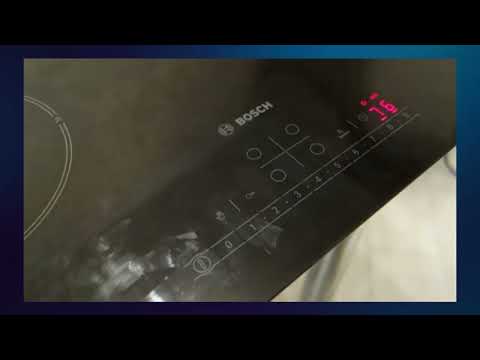
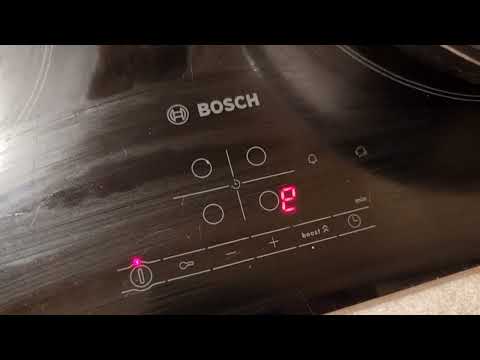
Bosch cooktop DEMOC (shown as dE on the display) means Demo Mode is active — the touch controls respond but heating zones stay off. This often happens after showroom display or an accidental key sequence on NIT8060 and similar induction cooktops. A breaker reset plus the demo exit sequence restores normal heating.
Reviewed August 2025 · sources below
Safe to keep using?
No safety issue
This is a status or lock code, not a hardware fault.
How to fix DEMOC
- Turn off power at the breaker for 60 seconds, then restore power.
- Within 30 seconds of power-up, touch and hold the key combination from your manual to exit demo (often a timer + power pad).
- Confirm dE is gone and place induction-compatible cookware centered on a zone — demo off should allow heating.
- If dE returns after every power cycle, check whether Sabbath or lock modes are also enabled.
- Persistent dE with no heat after the exit sequence may need service — but try demo exit twice before calling.
Call a pro when: Call a technician if zones still will not heat after demo is cleared and cookware is induction-ready.
Next step
Still having trouble after the code fix?
This code is usually a status or maintenance notice, not proof of a failed part. Try the steps above first; then describe what still isn't working.
Free guided checks · No account required · Don’t open live electrical, gas, or refrigerant equipment
What DEMOC means
Demo mode is on (shown as dE) — zones will not heat. Reset the breaker, then touch a control.
Likely causes
Demo mode is on (shown as dE) — zones will not heat. Reset the breaker, then touch a control.
Check: Press Power or Start/Pause to clear the code, then restart the cycle.
Est. cost: $0–$0
Demo mode blocks heating or full cycles until disabled in the settings menu.
Check: Follow the manual steps to exit demo/Sabbath mode, then power-cycle if the code persists.
Est. cost: $0–$0
Guided repair checklist
Complete the safe checks one at a time. Progress is saved for this browser so you can continue later.
0 of 5 checks recorded
Recommended next action
Start with this check before considering replacement parts.
Check 1 of 5
Turn off power at the breaker for 60 seconds, then restore power.
Did the repair resolve the issue?
Restoring repair progress…
Questions about DEMOC
What does dE mean on Bosch cooktop?
dE is Demo Mode — zones will not heat even though controls appear to work.
How do I turn off Bosch demo mode?
Reset the breaker, then use the demo exit key hold from your installation manual.
Do I need a part for dE?
No — demo mode is a software setting, not a hardware failure.
Why won't my Bosch cooktop heat?
Demo mode, wrong cookware on induction, or pan detection errors are common non-part causes.
Bosch DEMOC on specific models
Other Bosch Cooktop codes
Prevent this problem next time
- Use lock features only when needed
- Avoid cutting power mid-cycle
Sources
Manufacturer meaning
Demo mode is on (shown as dE) — zones will not heat. Reset the breaker, then touch a control.
FixApplianceCode guidance
Clear the DEMOC status code and restart. No replacement part is needed.
Source type: Editorial
Source: FixApplianceCode status-code guidance
Last reviewed: 2026-10-24
Repair guidance is for informational purposes only. We do not guarantee that any fix will resolve your issue, and you assume all risk when following these steps. Terms & disclaimer
As an Amazon Associate I earn from qualifying purchases. Some links may also earn other retailer commissions, at no additional cost to you. Affiliate disclosure